
빠른 답변
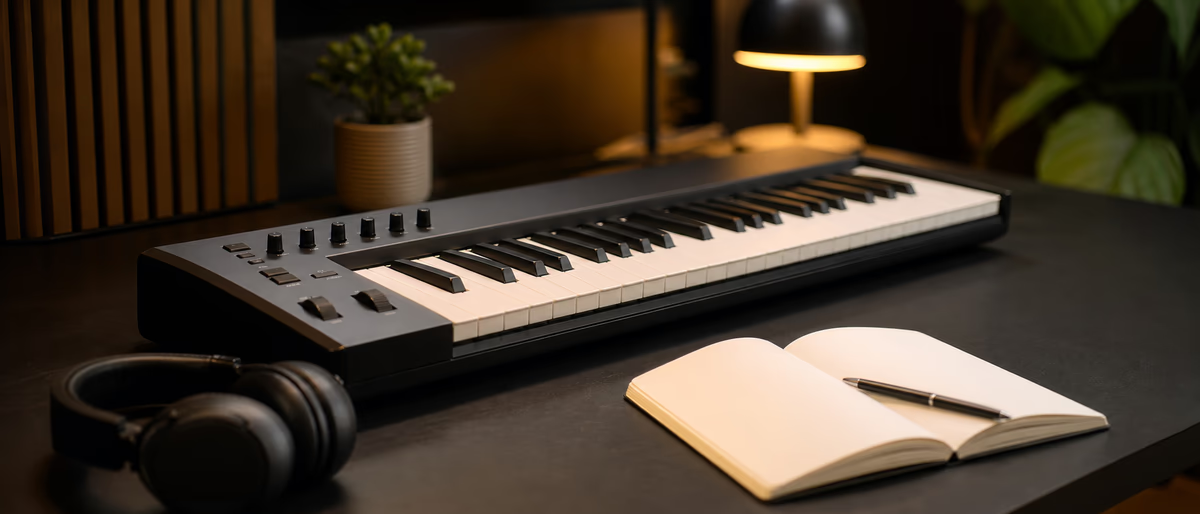
The best MIDI keyboard for beginners is a class-compliant USB model with velocity-sensitive keys, a manageable key count (25–49), and solid build—pads and knobs help, but playability and DAW integration beat feature checklists.
Why a Keyboard Still Matters in a Click-Draw World
You can draw MIDI with a mouse forever. A keyboard makes chords, basslines, and melodies physical—faster iteration, better timing feel, and happier hands. Beginners who only pencil-draw notes often stall on voicings they would discover by freestyling on keys.
A controller does not make sound alone (unless it has onboard engines). It sends MIDI to software instruments in your DAW. That means the “best” keyboard is the one you will leave on the desk and actually play between YouTube tutorials.
Budget reality: excellent entry controllers exist well under the cost of a single premium plugin bundle. Spend on keys that feel good; software can be free or stock at first.
25 vs 37 vs 49 vs 61 Keys
| Keys | Pros | Cons | Best for |
|---|---|---|---|
| 25 | Tiny desk footprint, portable | Octave switching for wide parts | Travel, tiny desks, synth leads |
| 37 | Balance of size and range | Less common than 25/49 | Producers wanting middle ground |
| 49 | Two-hand parts more natural | Wider desk need | Most beginners writing songs |
| 61+ | Piano-like range | Space and price jump | Pianists / composers |
If you have piano background and space, 49 or 61 reduces octave-button dance. If your desk is a kitchen table shared with meals, 25 keys plus octave shifts keep peace at home. You can compose great music on 25 keys; constraints can even help.
Features Worth Paying For (and Skipping)
- Velocity-sensitive keys Essential—dynamics make MIDI musical.
- Pitch/mod wheels or stick Standard for expression; learn them early.
- Pads Handy for drums; not mandatory if you use a mouse/grid.
- Knobs/faders Map to filter cutoff, levels; useful but secondary.
- Aftertouch Nice later; not required on day one.
- Built-in DAW scripts Helpful integration with Ableton/Logic/FL—read compatibility notes.
Skip: pure RGB wars, tiny unplayable mini-keys if you hate them (try before buying), and “1000 sounds onboard” marketing if you already have a DAW. Onboard sound can help without a computer, but most beginners produce in-the-box anyway.
Brands commonly shortlisted for first boards include entry lines from Novation, Arturia, Akai, Native Instruments, M-Audio, and others—compare current keybed feel and software bundles on official pages rather than memorizing a frozen 2024 ranking.[1][2]
First-Hour Setup
If notes double (laptop + keyboard both sending), disable the computer keyboard input or zone the channels. If velocity feels extreme, adjust velocity curves in the DAW or controller editor—many beginners quit because soft keys still scream fortissimo.
Practice That Transfers to Finished Beats
Ten minutes daily of chord shapes in your genre (minor 7s, simple triads, parallel movements) beats a two-hour weekend once a month. Learn inversions so left-hand bass and right-hand chords stop colliding.
Record imperfect takes. Humanize later. The point of a keyboard is capture energy, then edit. Quantize is a tool, not a religion—trap hats may want different groove than pop piano.
Keep a “MIDI scratch” track always in the template for ideas that are not yet arranged. Bounce good phrases to audio when the software instrument might change later.
When to Upgrade
Upgrade when keybed feel blocks expression, when you need aftertouch/poly aftertouch for specific instruments, when pads are central to your drum workflow, or when powered MIDI I/O for hardware synths becomes daily. Do not upgrade because a new model has more LEDs.
Semi-weighted vs synth-action is preference. Weighted hammer action helps pianists; it can fatigue beatmakers who want fast light synth playing. Try both if you can.
Practice Plan: Best MIDI Keyboard for Beginners
Convert this guide into action within seven days. Block two calendar sessions labeled “Best MIDI Keyboard for Beginners only,” silence chat apps, and implement a single measurable change—one setting, one layout, one template, or one outreach script—rather than half-doing five ideas.
Document before/after with a bounce, screenshot, or checklist tick. If nothing measurable improved, revert and try the next highest-leverage tip from the comparison tables above. Progress is a loop of test → note → keep/discard.
Teach the improved method to a peer or future-you via a short note in the project folder. Explaining the workflow exposes gaps faster than rereading marketing pages. Then ship a finished track using the updated system so the learning sticks to real music.
Practice Plan: Best MIDI Keyboard for Beginners
Practice Plan: Best MIDI Keyboard for Beginners
Controller ready? Load instruments and kits worth playing—browse samples and software for your DAW.
Learning path
관련 답변 허브
관련 카탈로그
카탈로그의 추가 software
카탈로그 인기도에 따라 순위가 매겨진 Plugg Supply 피드의 추가 software입니다.
![EDM Ghost Production Phantomic v1.1.1 [WiN]](/images/posts/edm-ghost-production-phantomic-86114.avif?v=2026080101)
![Nico Baran The Motel v1.0.0 [WiN]](/images/posts/nico-baran-the-motel-86085.avif?v=2026080101)
![Alpha Labs De-Feedback V1 v1.1.4 [MacOSX]](/images/posts/alpha-labs-de-feedback-v1-86113.avif?v=2026080101)
![DiscoDSP Corona v7.1.0 [WiN]](/images/posts/discodsp-corona-86083.avif?v=2026080101)
관련 글
![Nico Baran The Fixers v1.2.4 [WiN]](/images/posts/nico-baran-the-fixers-86082.avif?v=2026080101)
![Tweakbench Noemi v1.0.1 [MacOSX]](/images/posts/tweakbench-noemi-86111.avif?v=2026080101)
자주 묻는 질문
- Do I need a MIDI keyboard to start producing?
- No, but most beginners write faster with one once budget allows.
- 25 keys enough?
- Yes for many electronic producers; use octave buttons for range.
- MIDI keyboard vs piano?
- Controllers send MIDI; pianos/digital pianos may include keys + sounds—decide if you need acoustic practice weight.
- Will it work with FL Studio and Ableton?
- Class-compliant USB usually yes; check vendor DAW integration guides.
- Pads or keys first?
- Keys first for harmony/melody; add pads if drums are pad-centric for you.
- Bundled software worth it?
- Sometimes a nice bonus—still choose by keybed and build first.
- Can I use it with iPad?
- Often yes with compatible connection kits; verify class compliance.