
Sidechain compression
빠른 답변
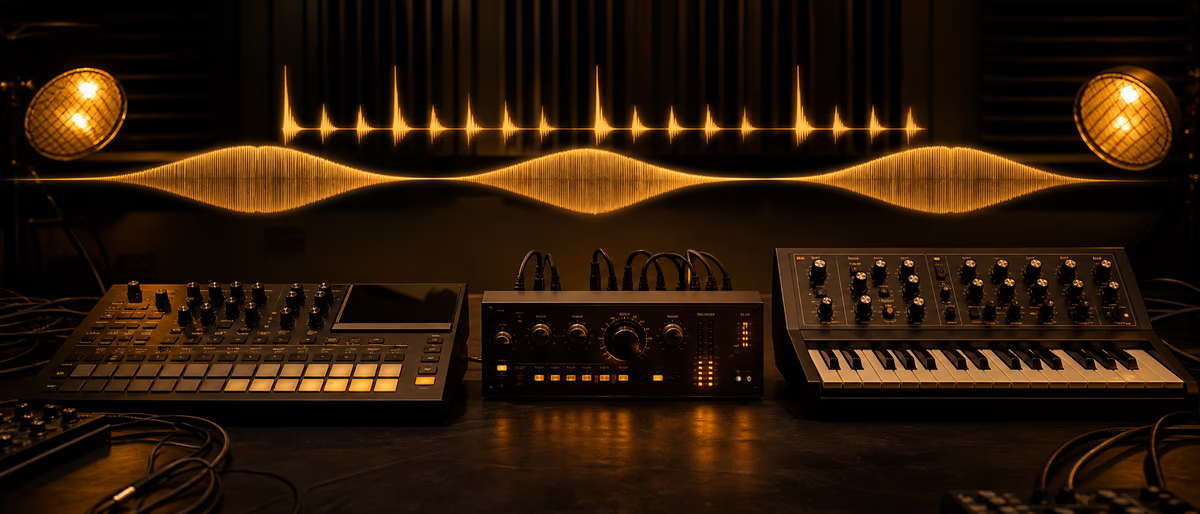
Sidechain compression is when a compressor on one track is triggered by a different signal — usually a kick — so that bass, pads, or music duck out of the way. The detector listens to the external key; gain reduction hits the track you actually hear. That is the classic kick→bass / pump effect in modern production.
What Is Sidechain Compression?
Sidechain compression is a dynamics technique where the level of one sound triggers compression on another. The compressor still sits on the track you want to turn down, but its detector — historically called the side signal chain — listens to a separate input instead of (or filtered versions of) the main audio.[1][2]
You have heard it even if you never opened a compressor panel: the pump when a kick hits and pads, bass, or a whole sample briefly drop, then rise again across electronic music, hip-hop, and modern pop.[2] Abbey Road recordist Matt Jones frames it simply: sidechain is an effect on one sound triggered by the level of another — classically a compressor on bass that ducks whenever the kick hits so the kick can poke through shared low-frequency space.[3]
- Main path The audio you hear — bass, pad, reverb return, guitars, music bed.
- Sidechain / key / external input The trigger the compressor measures — kick, snare, vocal, or a silent ghost key. iZotope calls the sidechain the compressor’s “boss”: it decides when gain reduction fires.[1]
- Ducking The audible result: one signal is reduced proportional to another (including radio-style music under speech).[2]
Normal Compression vs External Key Input
Every compressor has a detector path. In normal compression, that detector is the same signal you hear: louder peaks pull the gain down. In sidechain mode, you feed a different (or EQ-filtered) signal into the detector so the compressor reacts to something else while still processing the main path.[2] Historically, film engineer Douglas Shearer used a filtered detector so only sibilant “ess” energy triggered gain reduction — the ancestor of the de-esser. Modern music sidechain is the same architecture with a kick or other external key.[2][1]
| Mode | What the detector hears | What gets quieter | Typical goal |
|---|---|---|---|
| Standard compression | The same track as the output | Loud peaks on that track | Control dynamics, glue, loudness |
| Sidechain compression | External key (kick, vocal, ghost track) | The track the plugin is inserted on | Make space or create pump/duck |
| Sidechain EQ / de-ess style | Filtered version of main (or related) signal | Main path when filtered energy spikes | React only to problem bands (sibilance) |
Do not confuse sidechain with parallel compression or multiband compression. Parallel blends a heavy-compressed copy under dry audio. Multiband splits frequencies into bands that compress independently. Sidechain is about who keys the detector, not about bands or wet/dry blend — though you can combine all three techniques.
Kick → Bass and Pad Pumping
The defining beatmaker use: compressor on bass (or 808, sub, pads, chord sample), kick into the sidechain, threshold and ratio so each hit pulls the other element down briefly. The kick wins the transient; the ducked sound swells back between hits.[3][4]
In house and French touch, low threshold, high ratio, and longer release turn utility ducking into an obvious rhythmic pump — the style Ableton associates with Daft Punk-era stacking while the kick stays king (their early records used an accessible Alesis 3630 for that pump).[2] Hip-hop and trap usually want subtler movement: enough duck that the kick “bumps” and the low end stays readable, without a full EDM whoosh. The same routing on chords, lead, and bass can bond the groove around the drums.[4]
What to duck, and what not to over-duck
Common targets: mono sub / 808 body, sustained pads, chord samples, reverb returns, delay tails, dense mid synths. Jones also notes sidechain on long reverb pads and keying from a ghost track — a muted pulse pattern that shapes movement without playing in the mix.[3] Leave the kick clean unless you want a special effect. Prefer one decisive low-end duck plus lighter pad/reverb treatment over stacking extreme sidechains on every bus.
DAW Setup Overview (Ableton Live and FL Studio Concepts)
Routing names differ; every DAW follows the same map: compressor on the victim, enable external sidechain / key, point it at the trigger, then dial dynamics. Concepts only — not fake UI screenshots.
- Insert a compressor on the track that should duck
Bass, pad, sample bus, or reverb return — not usually the kick. Ableton’s guide puts stock Compressor on tracks that should yield to the kick, often late in the chain so the whole processed signal ducks together.[4] - Enable sidechain and choose Audio From (Ableton)
Open the Compressor sidechain panel and select the kick under Audio From. Drum Racks can key from the whole rack or one pad; pre/post-FX and post-mixer control whether kick processing hits the key.[4] Third-party plugins use the same Sidechain / Audio From shell routing.[5] - Create a mixer sidechain into Fruity Limiter (FL Studio)
Sidechain the kick mixer track to the bass track, insert Fruity Limiter on the bass, open the compressor section, and select that sidechain as the detector — Image-Line’s Fruity Limiter docs and sidechain tutorial cover this mixer workflow.[6][7] - Set threshold until gain reduction pulses with the kick
Lower threshold until GR moves on each hit, then set ratio, attack, and release for a transparent duck or an obvious pump. Judge in context with kick and bass together. - Optional: ghost-sidechain with a silent key
Pre-fader send or muted ghost pattern so the compressor keys while the trigger is inaudible — useful for intro pads or custom swell shapes.[1][3]
Logic, Cubase, Reaper, and others use labels like Side Chain, Key Input, or External Sidechain. No external key? Use a volume shaper, envelope follower, or LFO ducker — still ducking, not true sidechain compression.
Ratio, Threshold, Attack, and Release Tips
Ableton’s primer: threshold is where compression engages; ratio is how hard peaks above that level are reduced; peak vs RMS changes how the detector measures loudness; knee softens the onset.[2] Same knobs apply when the detector is a kick instead of the bass itself.
| Parameter | Transparent kick–bass | Obvious house/EDM pump | What to listen for |
|---|---|---|---|
| Threshold | Just low enough for 2–6 dB GR on hits | Deep, consistent GR every kick | GR only when the kick speaks — not constant crushing |
| Ratio | Moderate (gentle duck) | High / limiter-like for heavy pump | Too high can click or kill sustain entirely |
| Attack | Fast enough to clear the kick, not so fast it clips the bass start harshly | Very fast for hard “suck” | Slow attack lets bass attack through — can muddy the kick again |
| Release | Matches tempo so bass returns before next hit | Longer for whoosh / swell | Too long = permanent duck; too short = pumping flutter |
| Knee | Soft for invisible utility | Harder for sharper on/off feel | Soft knee can feel more natural on pads |
- Start with the meter Watch GR pulse once per kick. If it never moves, threshold is too high or the route is wrong. If it never releases, release is too long or the key is noisy/constant.
- Peak detection for drums Kicks are transient — peak (or peak-leaning) detectors usually track drum keys better than slow RMS when you want snappy ducks.[2]
- Sidechain EQ on the key High-pass or band-pass the sidechain so only the kick’s low thump (or snare crack) keys the detector and hats on a full drum bus do not chatter GR.
- Makeup gain after heavy pump Raising output after deep ducks can exaggerate the rise — useful as an effect, easy to overdo if you only needed a few dB of space.[4]
Beyond Kick and Bass: Other Sidechain Jobs
Sidechain is not only dance music. Broadcast ducking lowers music under speech. iZotope lists practical mix uses: keying overheads from a snare close mic, dipping guitars with a vocal-keyed dynamic EQ, or gating a bleed-heavy kick from a cleaner kick-in key.[1] Ableton also exposes sidechain on Gate, Multiband Dynamics, and Auto Filter — pads that open with the kick, filters that breathe with drums, reverb clouds that pump.[4]
Utility mix space
Light ducks on competing low end or mids so the lead stays readable without permanent EQ cuts.
Key: kick, snare, vocal
Depth: subtle GR
Rhythmic pump
Hard ducks on chords, pads, and samples for house, French touch, and techno movement.
Key: kick or full kit
Depth: deep, musical release
Ghost / silent keys
Muted or off-beat pulse tracks shape swells without those sounds in the arrangement.[3]
Key: silent audio track
Depth: as designed
Common Sidechain Mistakes
- Master-bus duck by default Can work as an effect, but often makes vocals and transients breathe oddly. Prefer inserts on parts that actually fight the kick.
- Release fighting the tempo If bass never recovers before the next hit, you get a permanent low-end cut. Shorten release or lower ratio until the groove pulses with the grid.
- Sidechain instead of arrangement Ducking is time-domain. Parts that fight the whole bar still need better arrangement, gain staging, or EQ.
- Noisy or hat-heavy keys A full drum bus can chatter GR. Prefer a dry kick channel or high-pass the sidechain EQ.
Free Compressors and Next Steps
You do not need a paid sidechain-only plugin. Stock compressors in Ableton Live, FL Studio’s Fruity Limiter, Logic’s Compressor, and Reaper’s ReaComp all support external keys. For more character or metering, browse free dynamics tools on Plugg Supply under software, then go deeper with sidechain compression tutorial, audio compression explained, and best free compressor plugins.
Stock tools can sidechain — add free verified compressors and utilities from Plugg Supply when you want more options in the chain.
Learning path
관련 답변 허브
자주 묻는 질문
- What is sidechain compression?
- It is compression on one track that is triggered by a different external key signal — commonly a kick ducking bass or pads — so gain reduction follows the key’s level rather than only the track’s own peaks.[1]
- What is the difference between sidechain compression and ducking?
- Ducking is the audible result of one sound being reduced when another is present. Sidechain compression is a common way to create that duck by routing the louder sound into a compressor’s external key input.[2]
- How do you sidechain a kick to bass?
- Put a compressor on the bass, enable external sidechain, and select the kick as the key. Lower threshold until gain reduction pulses with each kick, then set ratio, attack, and release for a subtle duck or a rhythmic pump.[3]
- How do you set up sidechain compression in Ableton Live?
- Load Live’s Compressor on the track to duck, enable Sidechain, choose the kick (or Drum Rack pad) under Audio From, then adjust threshold, ratio, attack, and release. Third-party plugins use the same Sidechain / Audio From panel on the plug-in shell.[4][5]
- How do you sidechain in FL Studio with Fruity Limiter?
- Sidechain the kick mixer track to the bass track, insert Fruity Limiter on the bass, open the compressor section, and select that sidechain as the detector source, then set threshold and release for the amount of pump you want.[6]
- What ratio and threshold should I use for sidechain compression?
- There is no single correct pair. Start with threshold low enough that gain reduction clearly follows the kick, use a moderate ratio for transparent space or a high / limiting-style ratio for heavy pump, and tune release so the ducked sound returns in time with the groove.[2]